
Overview
Electronic Logging Device (ELD) tracking is a component for carriers completing shipments through Auto Hauler Exchange (AHX). ELD integration allows the platform to automatically share real-time location updates during transport, helping reduce manual check calls and providing clear visibility into shipment progress.
By utilizing ELD tracking, AHX helps create a more transparent and reliable transportation experience for both carriers and shippers while ensuring loads move efficiently from pickup to delivery.
What Is ELD Tracking?
An Electronic Logging Device (ELD) is a federally mandated system that records a commercial driver’s driving time, location, and hours of service. These devices are connected directly to the truck and provide accurate, real-time location data.
Within Auto Hauler Exchange, ELD data is used strictly for shipment visibility and verification purposes—not for driver monitoring or enforcement.
Connecting Your ELD Provider to AHX
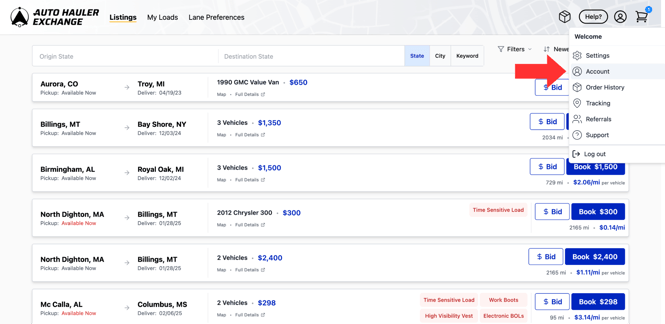
1. Account
Navigate to your account and then click “Tracking” from the tabs.
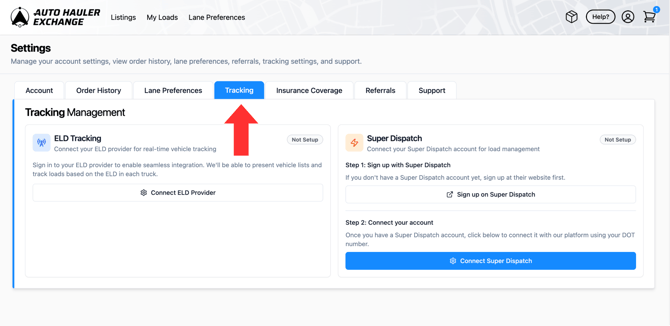
2. Connect ELD Provider
Next, click “Connect ELD Provider” to link your provider to Auto Hauler Exchange.
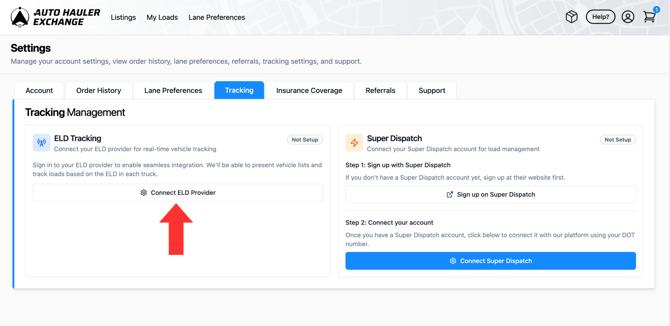
3. Agree and Continue
Select the black “Continue” button to agree to Auto Hauler Exchange’s terms and conditions.
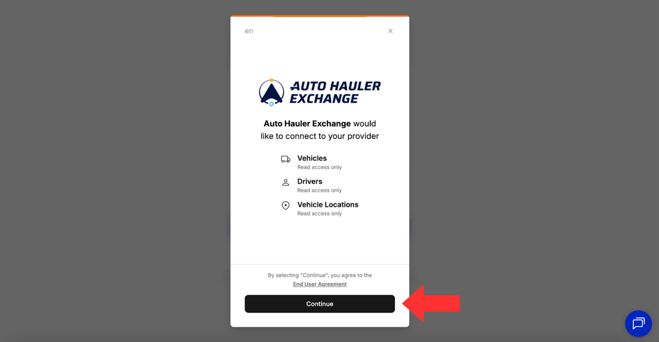
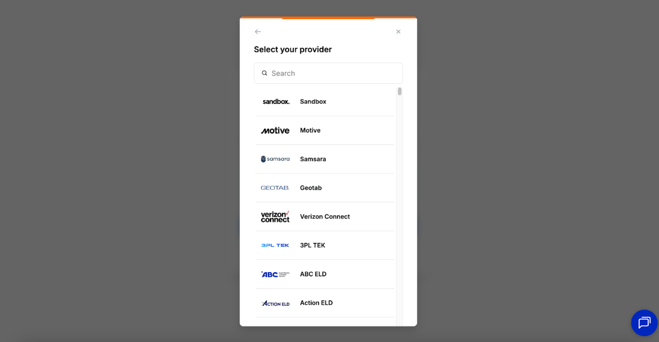
4. Find ELD Provider
Select your provider from the list of options provided.
If your ELD connection provider isn't listed, reach out to carrier@autohaulerx.com.
5. Login with Provider
Enter your login credentials for the provider and click “Continue” to successfully connect your account and existing ELD connections to AHX.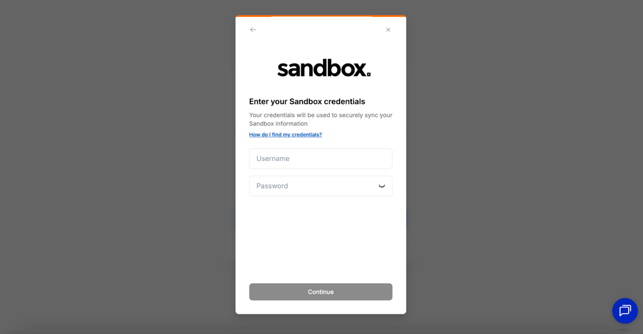
Visibility
Once you have connected your provider you are able to view your connections at any time within your account.
You will be able to see which vehicles are insured and which are not.
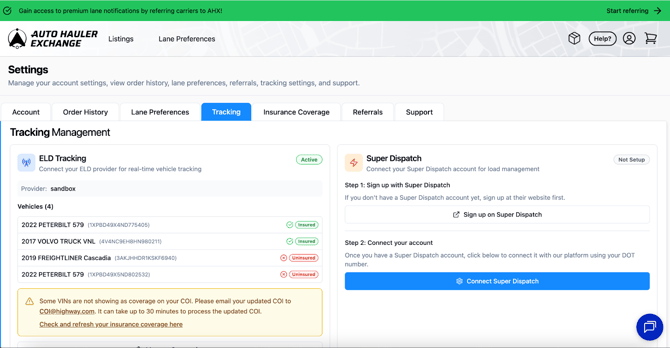
To update your insurance, please do so through Highway. You will first need to contact your insurance provider to ensure any vehicles not currently listed on your Certificate of Insurance (COI) are added. Once your policy has been updated, you can submit the new COI through Highway.
ELD Connection Reminders
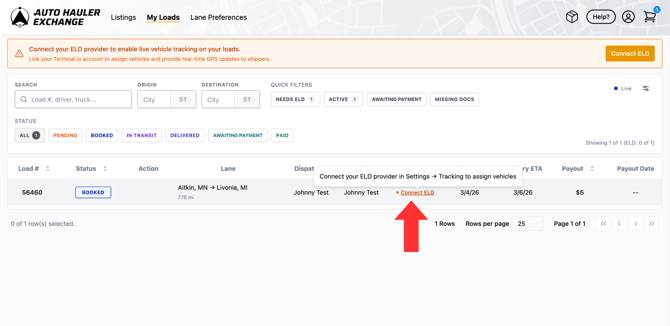
If your account is not connected to an ELD provider, a banner will appear at the top of your dashboard when you log in prompting you to connect one.
Click “Connect ELD” and follow the steps outlined above to complete the setup.
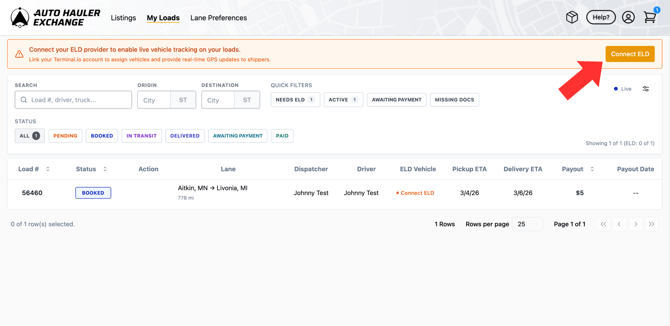
You can also connect your ELD after booking a load. On the “My Loads” page, locate the load and click “Connect ELD” next to it, then follow the same steps to finish connecting your provider.
Selecting ELD When Booking a Load
When booking a load, you will be prompted to select which vehicle you are using for that specific load.
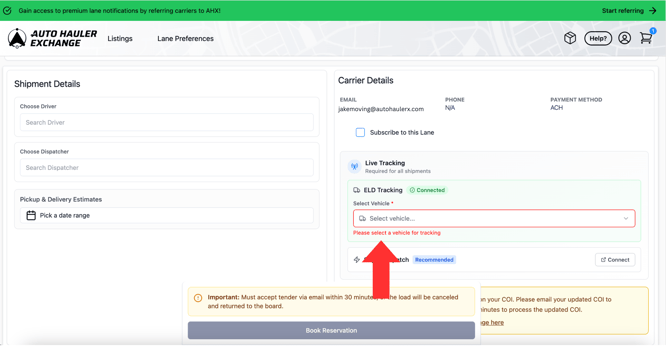
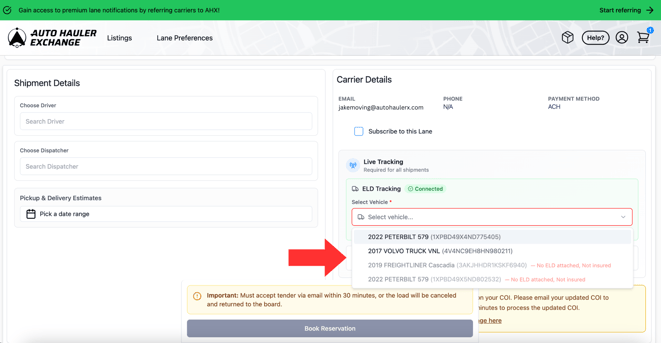
From the dropdown menu, you will be able to see all vehicles connected to your AHX account.
If you have any vehicles that are uninsured or not connected through ELD they will be greyed out and you won’t be able to select them for the load.
If you have any questions regarding ELD please feel free to reach out to our support team at support@autohaulerx.com.