
Overview
Auto Hauler Exchange now allows shippers to add a credit card to their AHX account and prepay for loads directly on the platform.
Follow these steps if you’ve been approved as a pre-pay customer and learn how to add a payment method to your account.
How It Works
1. Navigate to Account
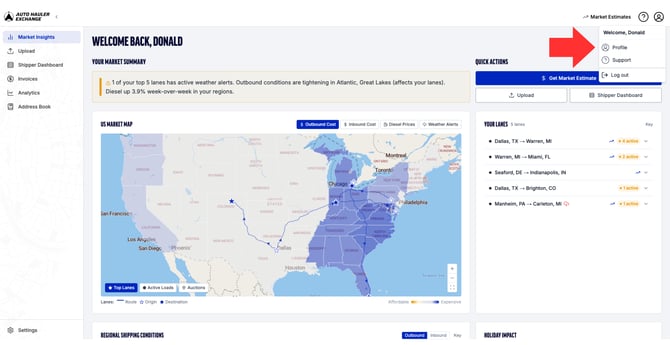
From your shipper dashboard, navigate to the profile icon in the top right corner, then click Profile.
.png?width=670&height=346&name=Knowledge%20Base%20Screenshots%20(1).png)
2. Select Payment Methods
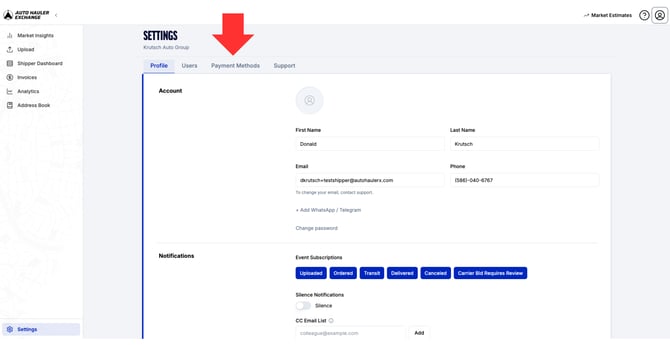
On the left side of your screen, find and click on the tab labeled “Payment Methods.”
3. Add Your First Payment Method
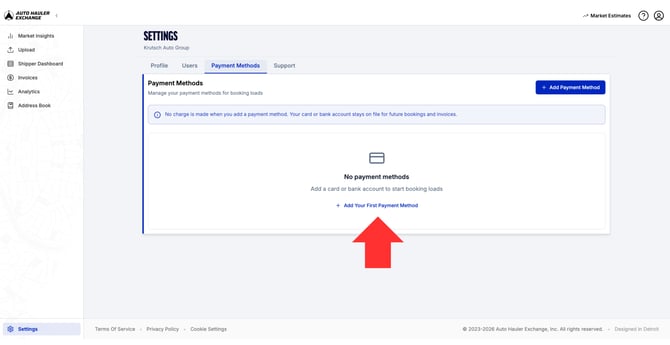
Click the blue button labeled “Add Your First Payment Method.”
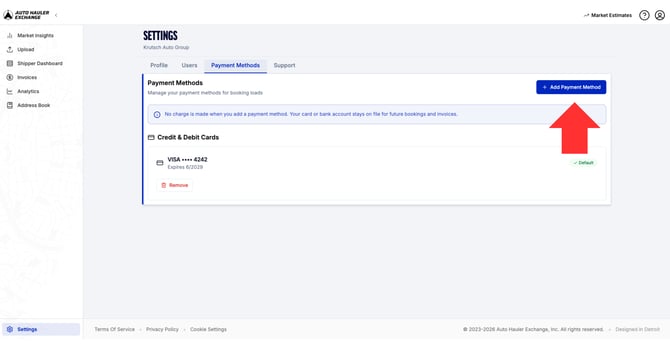
If you already have a payment method on file but want to add another one, you can find the blue button labeled “Add Payment Method” on the right side of the screen.
4.1 Add Credit/Debit Card
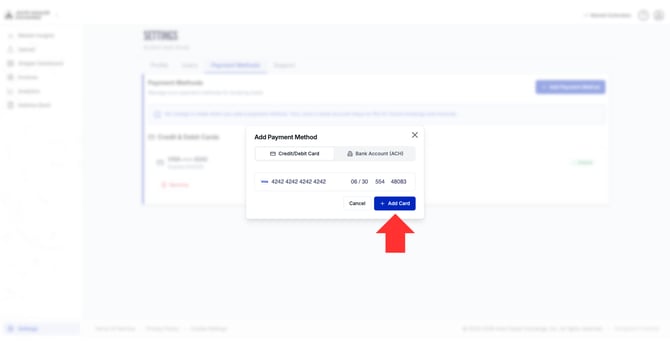
A pop-up will appear where you can enter a credit/debit card number.
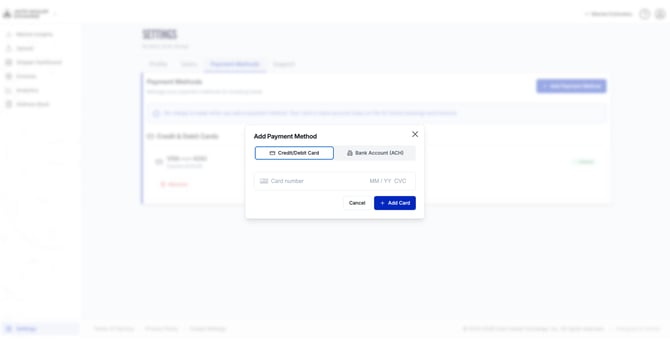
Simply add your card information and click the blue button labeled “Add Card” to add the payment method to your account.
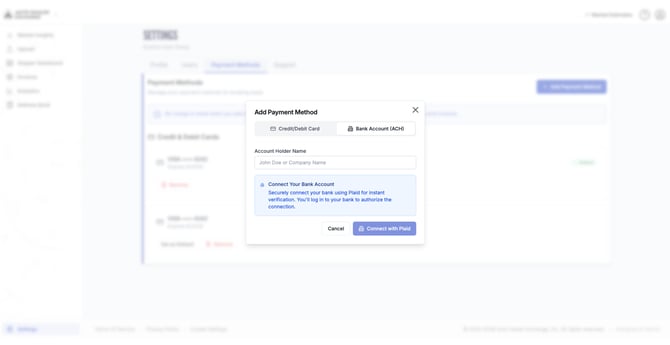
4.2 Add Bank Account
Alternatively, you can add a bank account by connecting through Plaid.
5. Managing Payment Methods
After connecting your credit/debit card, your payment method will now appear under your Payment Methods tab for visibility.
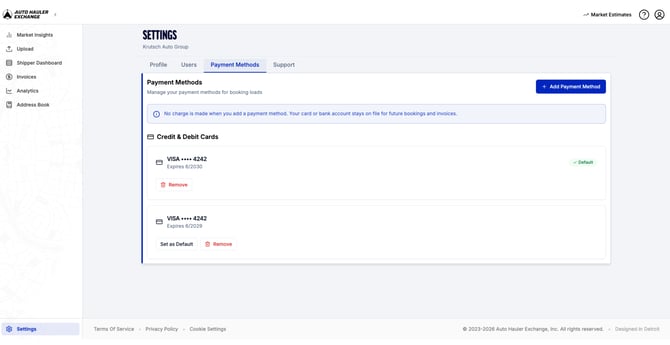
If you need to delete a payment method for any reason, simply click the red trash can icon located next to the payment method you wish to delete.
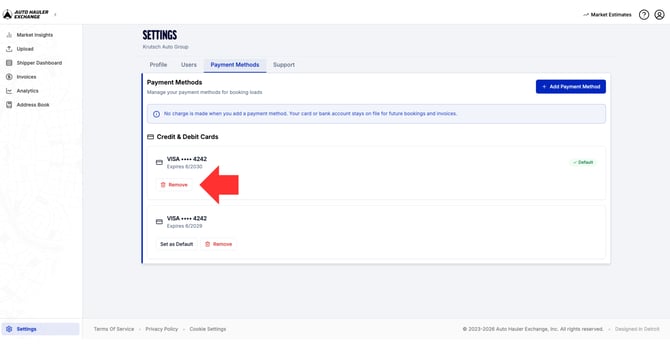
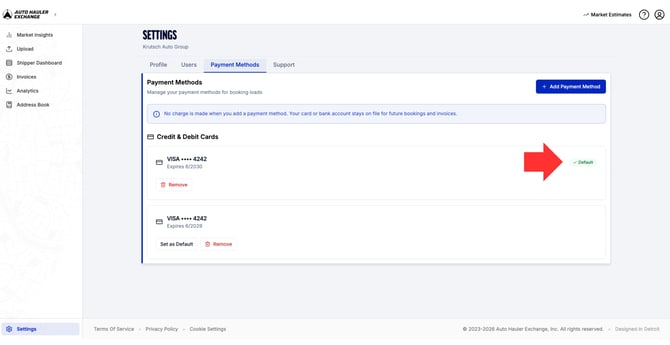
If you have more than one card on file, You can select which card you want to set as your default payment method.
The selected default payment option will be shown by displaying the green default icon.
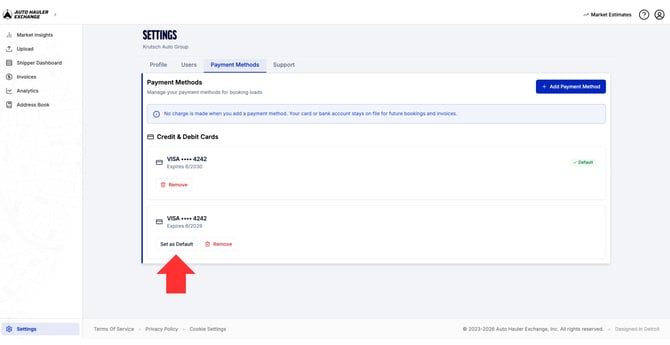
To change your defaulted card, select “Set as Default” next to the card you wish to use.
Payment Method Required Before Uploading Loads
If you attempt to upload a load without a payment method on file, a pop-up will appear notifying you that a valid payment method is required before continuing.
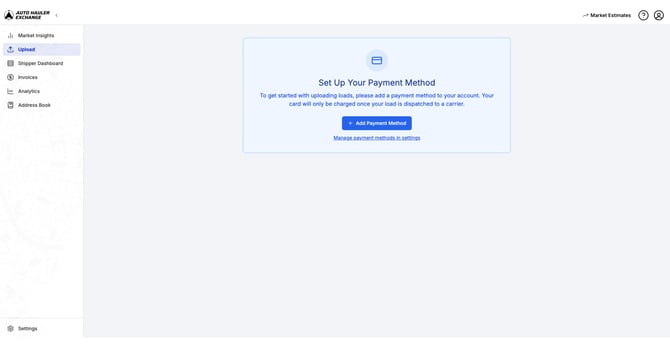
This pop-up cannot be bypassed. Pre-Pay Shippers must add a payment method to proceed with uploading a load.
From this pop-up, click the "Add Payment Method" button to add a card directly from the prompt without navigating to account settings.
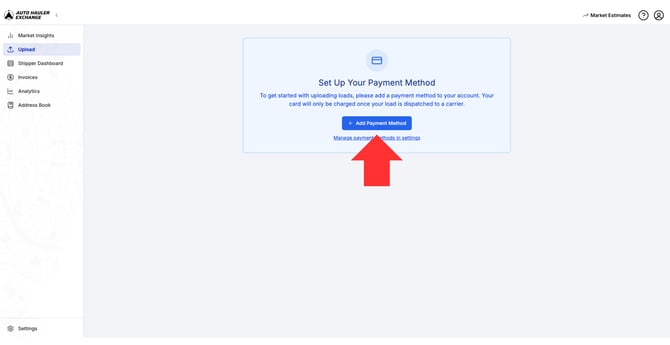
Follow the same steps as above to add a card to your account.
Once the payment method has been added successfully, you may continue uploading loads as normal.
Payment Terms
Your default payment method will be charged as soon as the pickup is confirmed.
If you have any questions or need to request a refund, please reach out to support@autohaulerx.com for assistance.