
Overview
When a carrier submits a bid that is higher than your listed maximum price, you have the option to review the bid and send an offer back to the carrier through the platform.
This allows you to negotiate pricing directly and potentially secure a carrier for your shipment.
Viewing Carrier Bids on Your Load
If a carrier submits a bid that exceeds your max price, you will receive an email allowing you to review and accept the offer if you choose.
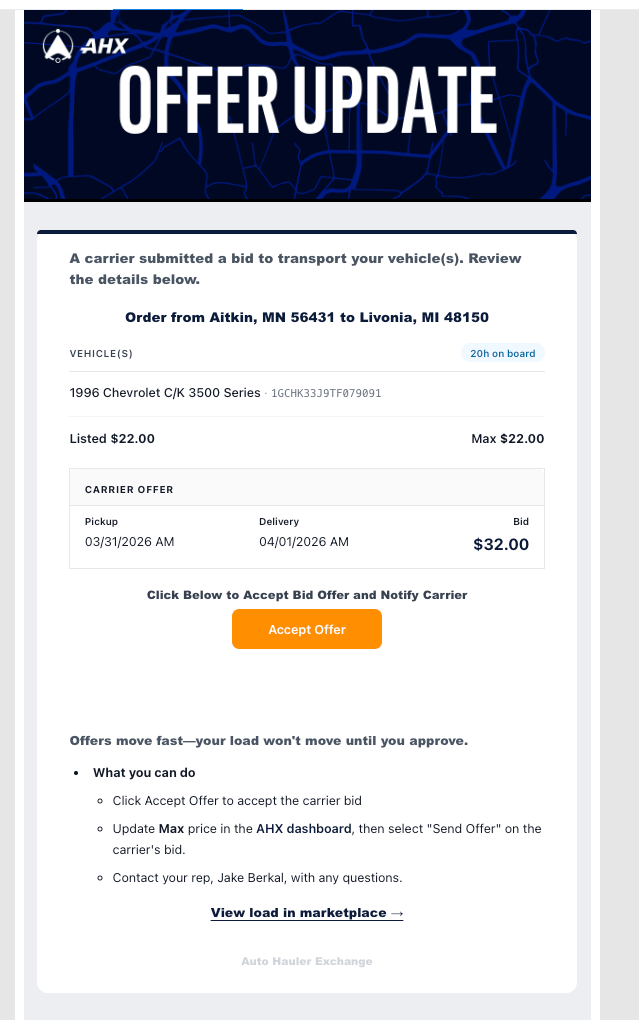
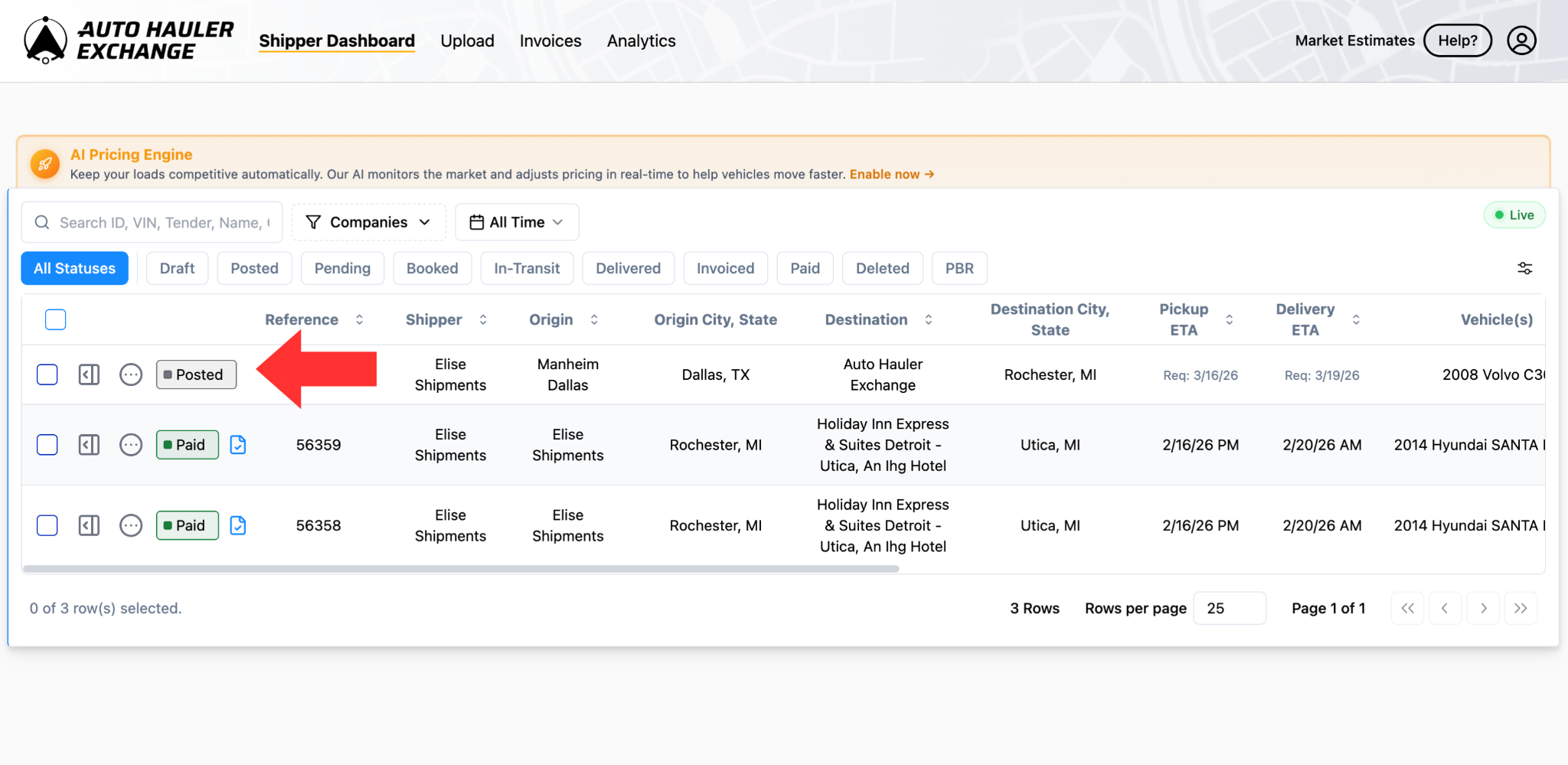
To find the bids placed on your load within the platform, select the load in which the bid was placed on.
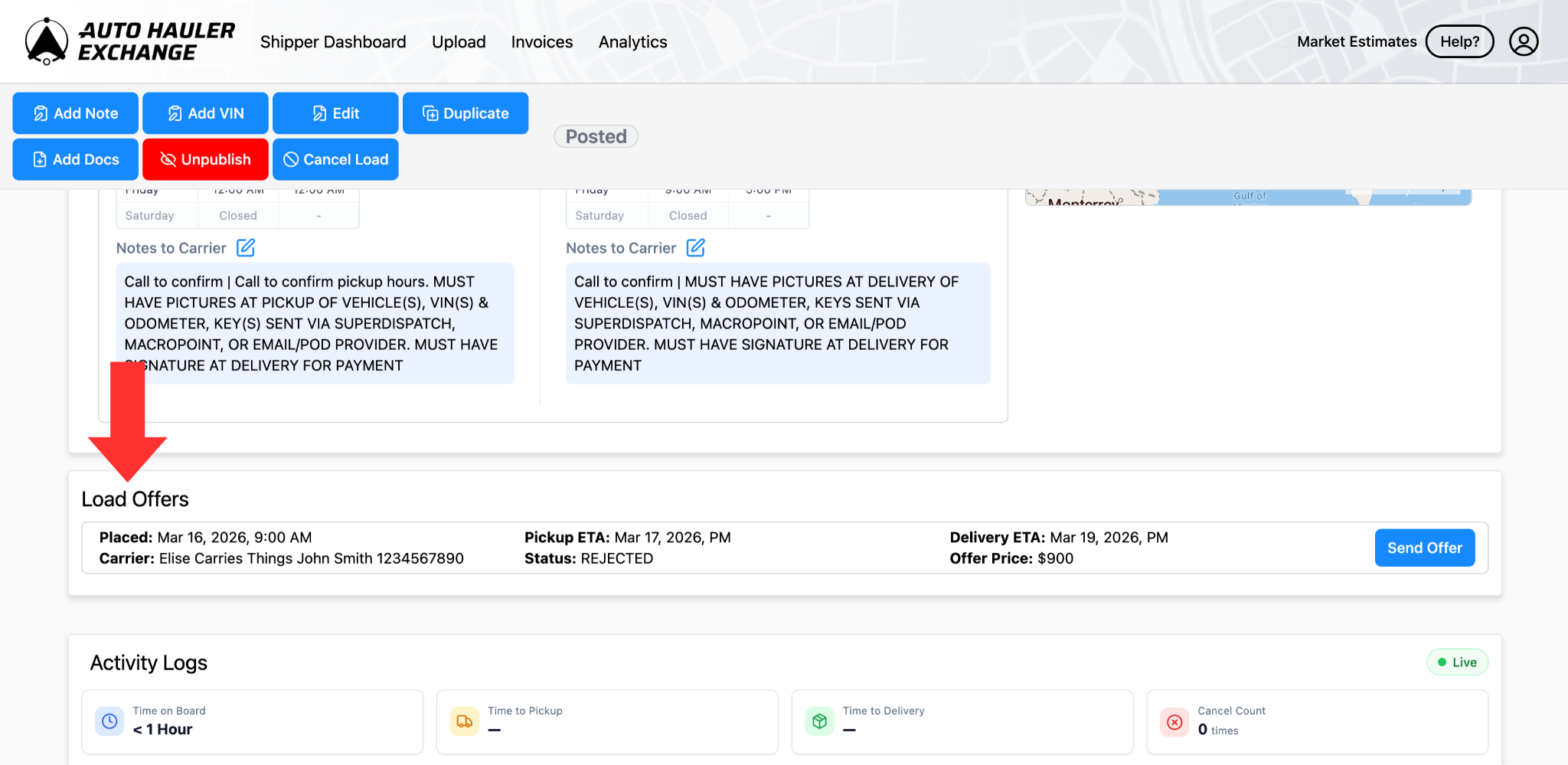
Inside the load page, scroll down until you find the “Load Offers” section.
Here you will find all the bids that fell outside of your max price.
Sending an Offer
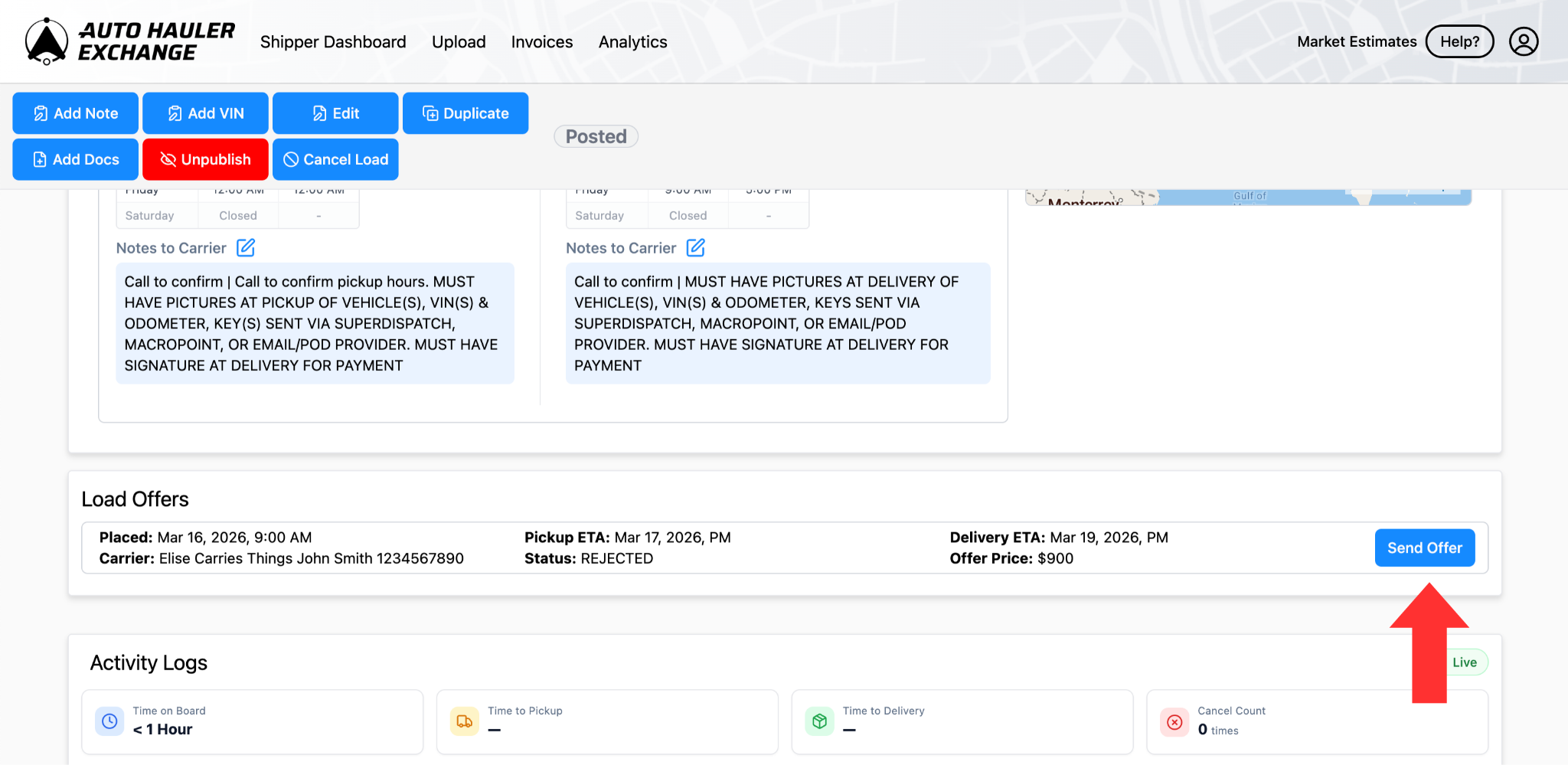
If you want to offer this price back to the carrier, you can click “Send Offer.”
This will notify the carrier that you are willing to accept that price.
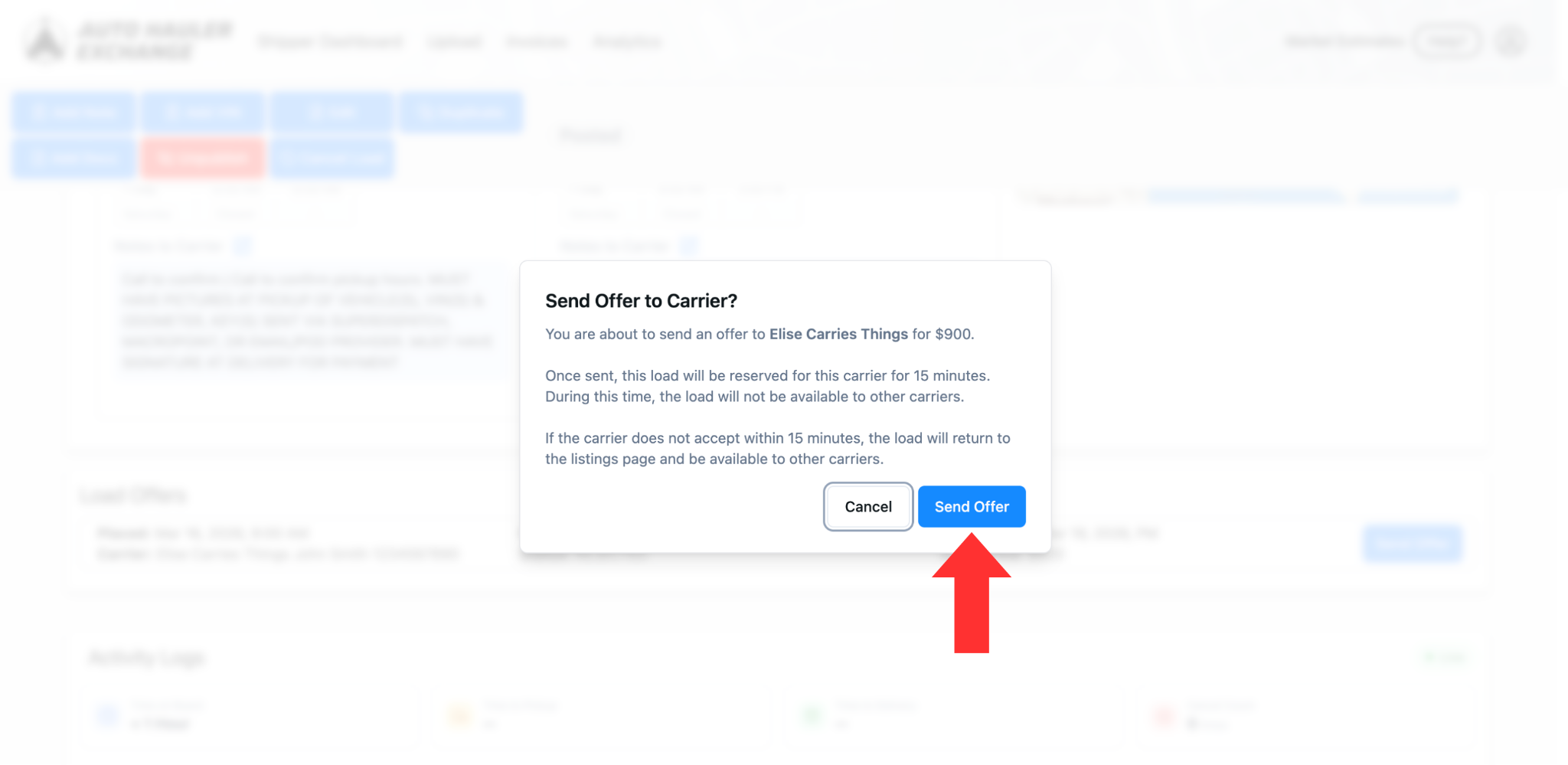
A confirmation pop-up will appear ensuring that you want to send this offer to the carrier.
Carrier Response
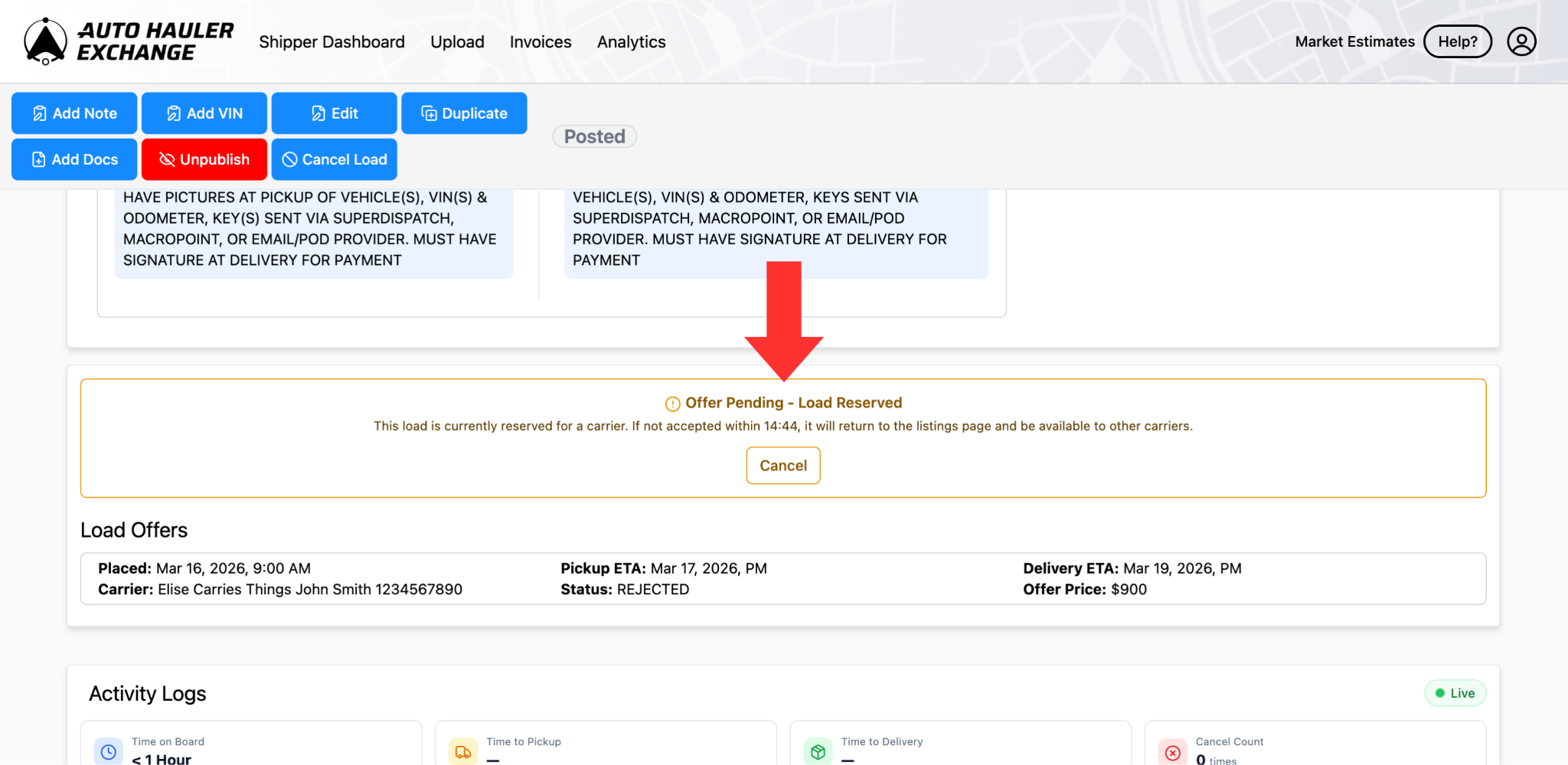
The carrier will then have 15 minutes to accept or reject the offer. You will see an “Offer Pending - Load Reserved” status while this time elapses.
Canceling Offer
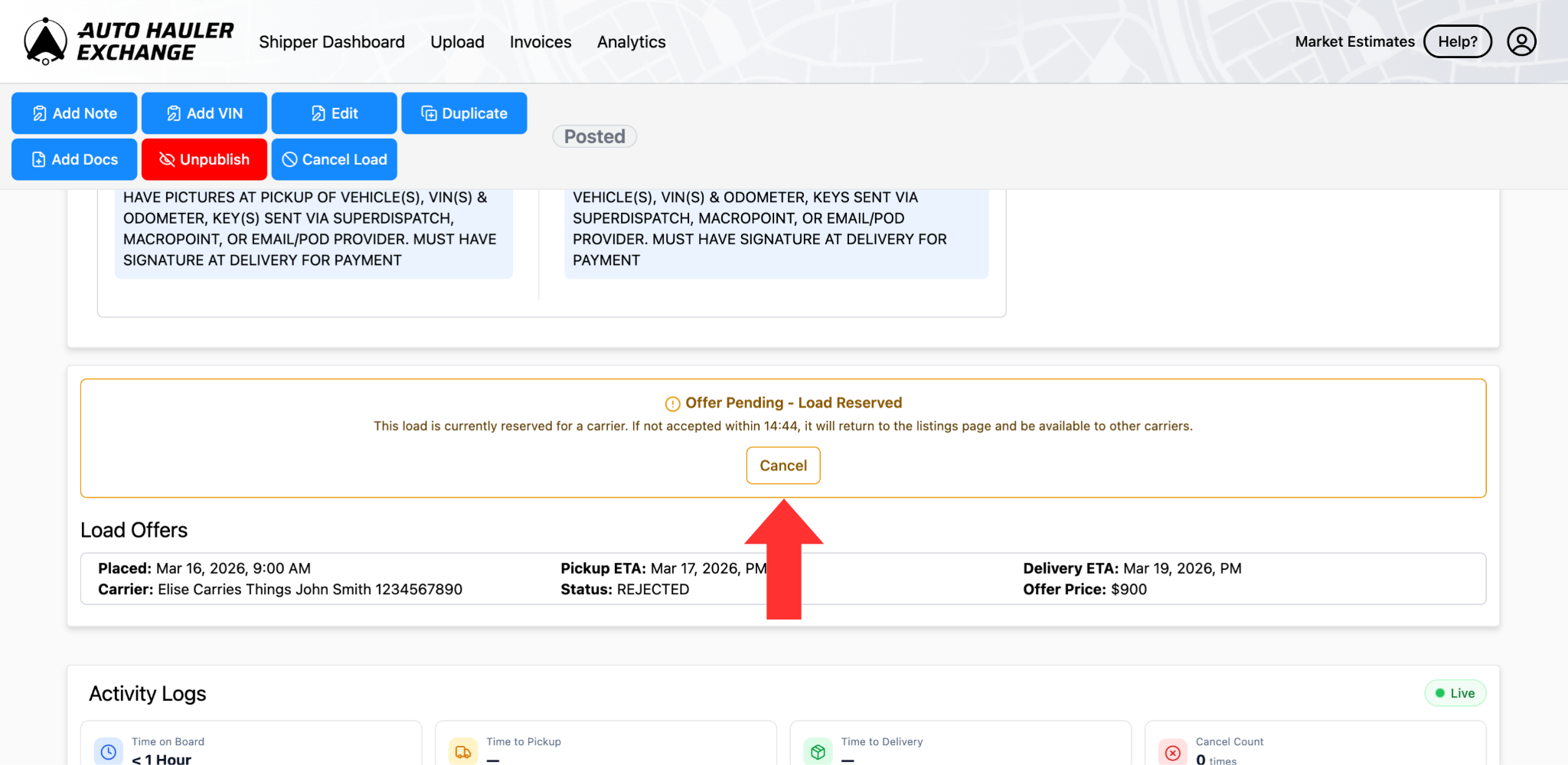
If you would like to cancel the offer before the 15 minutes is over, you can click “Cancel Offer” to return the load to the board.
Carrier Accepts/Rejects
If the carrier accepts your offer, your load will move to booked status on your Shipper Dashboard.
If the carrier rejects your offer or fails to respond to the offer in the 15 minute timeframe, the load will be returned to the board for other carriers to book or bid on.
Still have questions? Don’t hesitate to reach out. Our team is here to help!